 LEARN AI BASICS & PRACTICAL TOOLS
GitHub Copilot - AI for Coding and Development
Master GitHub Copilot and AI-powered coding tools. Learn to write, review, debug, and test code faster with AI assistance integrated directly into your IDE.
 More than 4,284+ people joined


"This course completely changed how I approach my daily work. I now organize my ideas faster, write clearer content, and meet deadlines with less stress. The lessons are practical and immediately useful."
Michael Thompson
Content Strategist

"Learning how to properly use ChatGPT helped me speed up documentation, brainstorming, and planning. What used to take hours now takes minutes. This course is straightforward and extremely effective."
Sarah Johnson
Product Manager

"I was skeptical at first, but the workflows taught here made a huge difference. I’m more productive, my reports are clearer, and I feel more confident using AI tools in my job."
Benjamin Oke
Operations Analyst

"The step-by-step approach made everything easy to understand. I now use ChatGPT daily to draft proposals, emails, and summaries. It’s saved me a lot of time at work."
Linda Chen
Business Development Executive

"This course helped me streamline communication and improve the quality of my internal documents. The tips are simple but powerful, and I saw results almost immediately."
Esther Bello
HR Coordinator
What You'll Learn
MASTER GITHUB COPILOT
Learn to use GitHub Copilot effectively for code generation, debugging, testing, and documentation. Transform your development workflow with AI.

Fundamentals of GitHub Copilot
Understand what Copilot is, how it works, where it runs (VS Code, CLI, IDEs), and how to install and configure it for your projects.
Code Generation & Completion
Master AI‑driven code suggestions, inline completions, and context‑aware prompts that help you write code faster and with fewer errors.
AI‑Assisted Debugging & Testing
Learn to generate unit tests, debug intelligently with Copilot Chat, and let GitHub Copilot help you spot and fix common coding issues.
Prompt Engineering & Workflow Automation
Discover effective prompting techniques and how to use Copilot’s agent modes (Ask, Edit, Plan) to automate development tasks and reduce manual effort.
What You'll Be Able to Do
Write, debug, and test code faster with GitHub Copilot integrated into your development workflow.

Write Cleaner, Faster Code
Use Copilot to complete code blocks, reduce boilerplate, and generate code that’s consistent with best practices across languages.

Optimize Your Development Workflow
Integrate Copilot’s AI suggestions into daily coding tasks, pull request reviews, and documentation generation to speed up your development cycles.

Build and Maintain AI‑Powered Projects
Implement full features using Copilot’s agentic workflows from planning to execution - including refactoring, performance enhancements, and rollouts across projects.
Start Using AI with Confidence
Learn practical AI tools that top professionals use to work smarter and stay ahead
Start Now
Practical tasks you'll be able to do after this track

Set Up Copilot & Environment Configuration
Install GitHub Copilot in VS Code, configure preferences, and explore settings that optimize your AI feedback loop.
Generate Functional Code Snippets
Use natural language prompts to generate functions, classes, and modules in languages like JavaScript, Python, or TypeScript.
Debug and Fix Code Using Copilot Chat
Practice prompting Copilot Chat to identify bugs, propose fixes, and explain why issues occur enhancing your debugging workflow.
Automate Repetitive Tasks
Task Copilot with generating unit tests, writing documentation, or refactoring legacy code to save time and ensure consistency.
Build a Small Project Using Agent Modes
Use Copilot’s advanced modes - Ask, Edit, and Plan - to complete a mini project (e.g., a task manager or portfolio app) from idea to working code
Earn a certificate that proves your AI skills
Complete your AI course and receive a certificate to highlight your expertise.
Start Now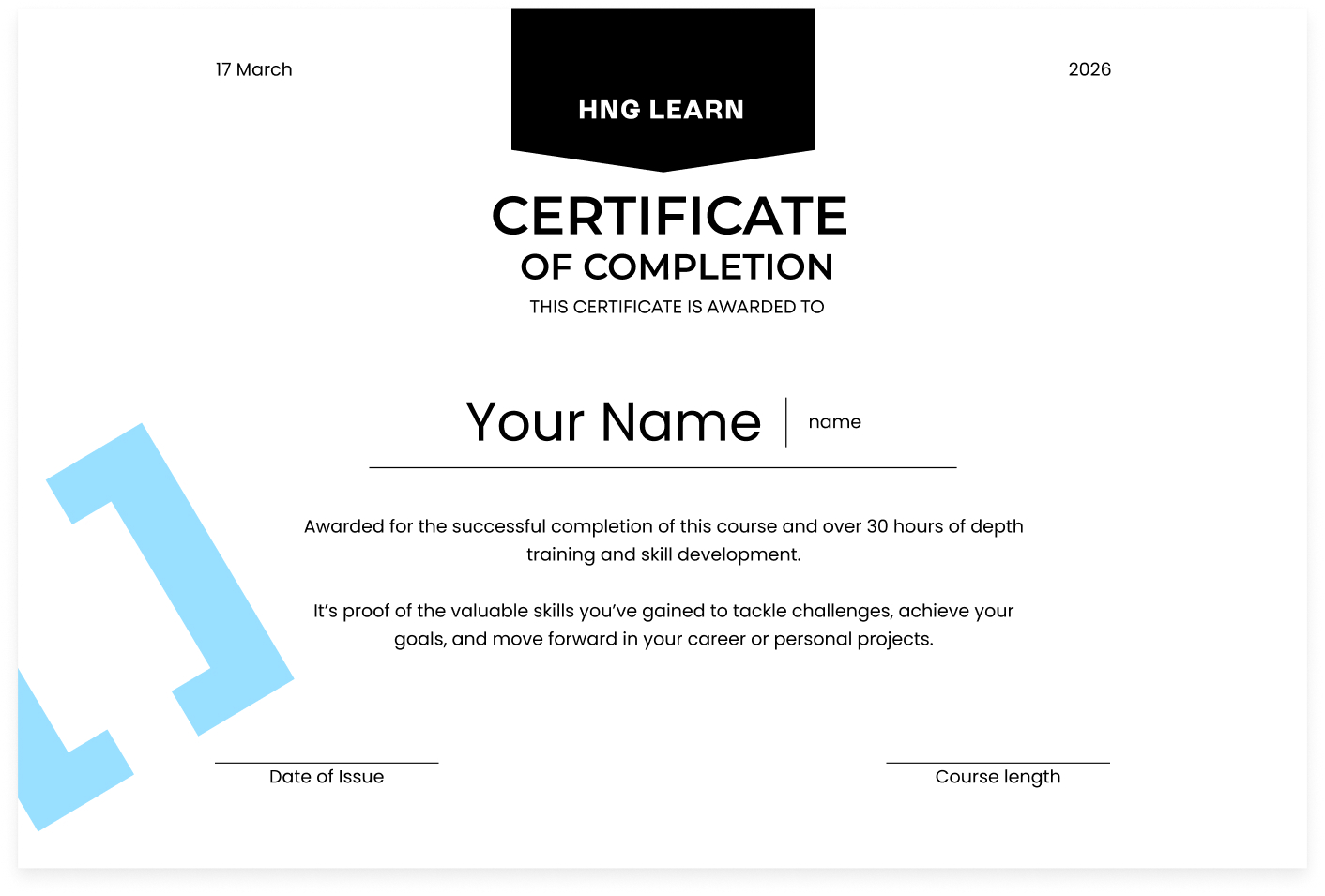
Frequently asked questions
Find answers to common questions about Learn AI
No prior experience is required. This course is designed for beginners and covers everything from the basics to practical applications of AI tools.
The track is self-paced and typically takes 4-6 weeks to complete, depending on how much time you dedicate each week.
You'll learn to use popular AI tools like ChatGPT, MCP, and other AI assistants for communication, research, content creation, and automation.
Yes! By the end of this track, you'll be able to apply AI tools to everyday work tasks like writing, research, task organization, and automation.


Start your AI journey with HNG Learn today!
Learn today, take control of your future, and build new skills in AI and digital tools
Start Now